Skip to content
Quick Links
Quick Links
UKZN Home
Library
Vacancies
Directions
Student Email
Staff Email
Telephone Directory
Tenders
Directory of Experts
X-twitter
Facebook-square
Youtube
Instagram
Rss
University Digital Teaching Portal
Menu
Close
Home
COVID Remote Plan
Events
Teaching Technology Guides
Support Lines
Feedback
Report Broken Links
Close
Home
COVID Remote Plan
Events
Teaching Technology Guides
Support Lines
Feedback
Report Broken Links
Instructional Guide: Using Zoom Polls
Overview
The Zoom Polls feature is only available on the host computer.
By:
Reginald Govender
Instructional Guide
Step 1:
At the bottom of the screen click Polls
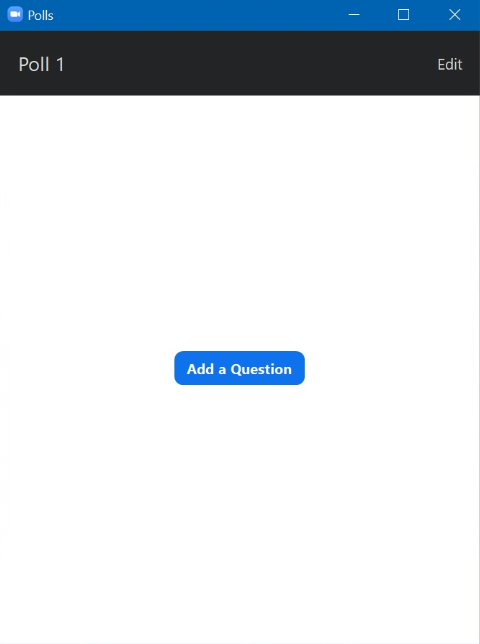
Step 2:
Select “Add a Question”.
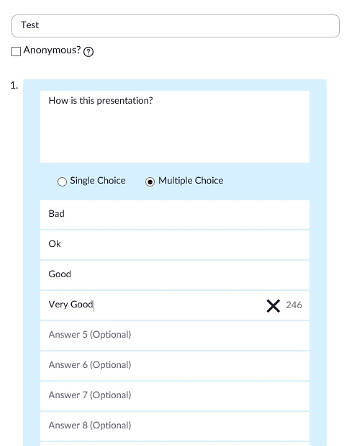
Step 3:
Type in the question and the required response items.
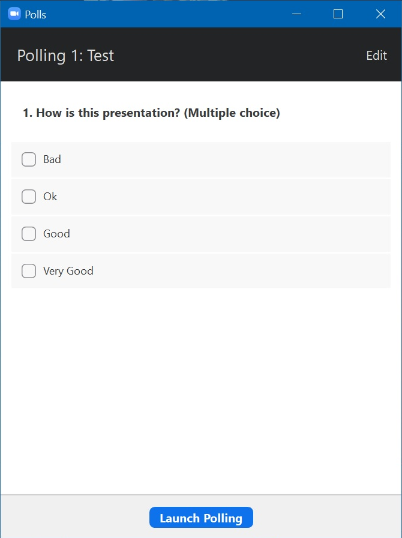
Step 4:
After saving, click on “Polls”, you will have the option to start the poll.
iSiZulu Version »
<
<