Instructional Guide: Learn Rubrics

Overview

Rubrics are an advanced grading method used for criteria-based assessment. The rubric consists of a set of criteria plotted against levels of achievement. A numeric grade is assigned to each level. For each criterion, the assessor chooses the level they judge the work to have reached. The raw rubric score is calculated as a sum of all criteria grades. The final grade is calculated by comparing the actual score with the worst/best possible score that could be received.

When To Use

A rubric may be included in an assignment in Moodle and will be available for students to use as a scoring guide.


Instructional Guide

  • Log in to Moodle by clicking here.
  • To include a rubric, create an assignment activity. Under the Grade tab, navigate to the Grading method option and select Rubric from the drop-down menu.
  • Complete the other fields on the assignment activity, then select Save and Display.


Creating Your Rubric

Step 1:

  • Select Define new grading from scratch.
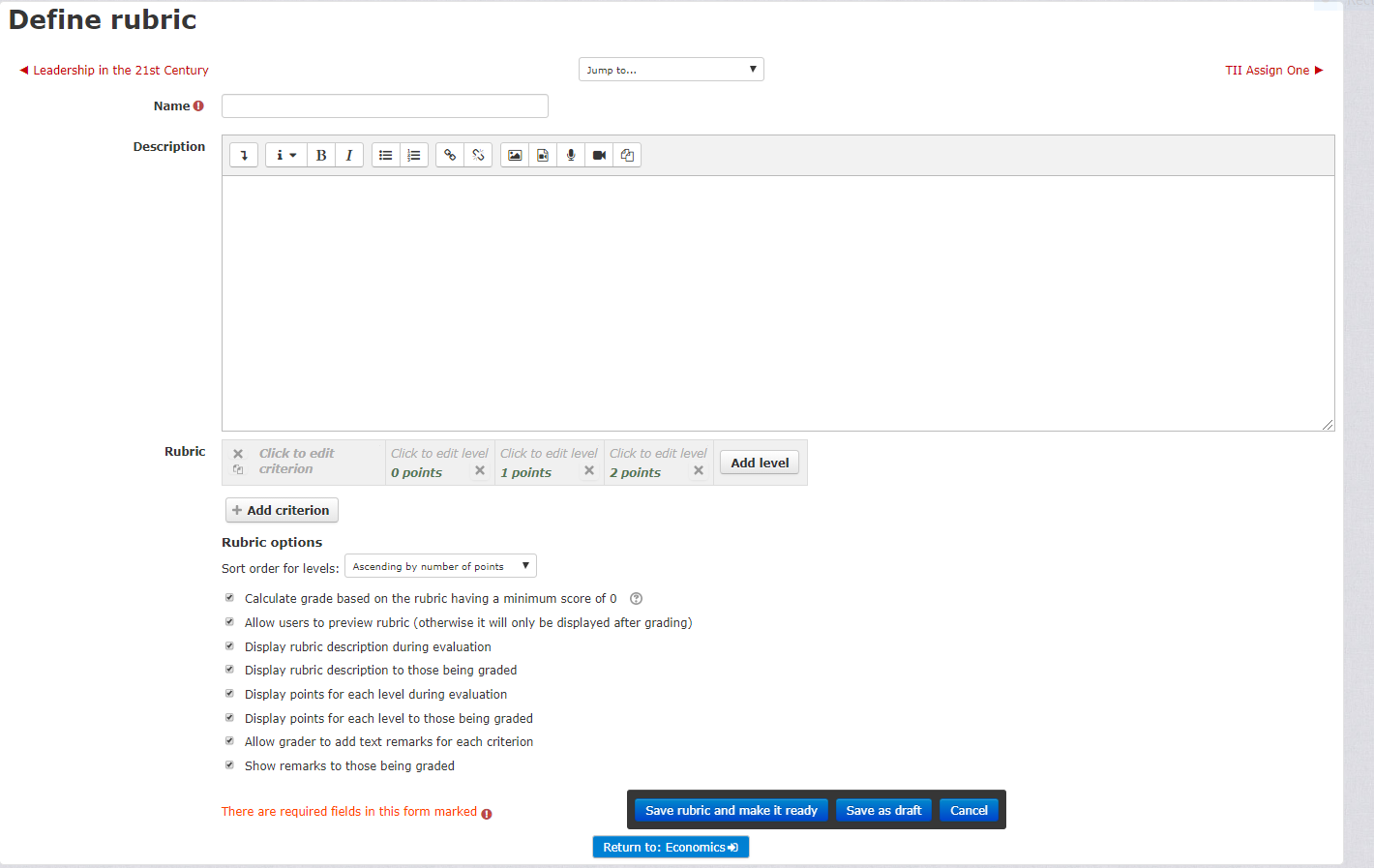
Define Rubric

Step 2:

  • Enter the name of the rubric, enter a description if necessary.

Step 3:

  • Under the description box, click on Add level. Amend according to how many levels there are for the first criterion.

Step 4:

  • Click on Add Criterion to enter another set of Criterion.


Below is an example of a completed rubric


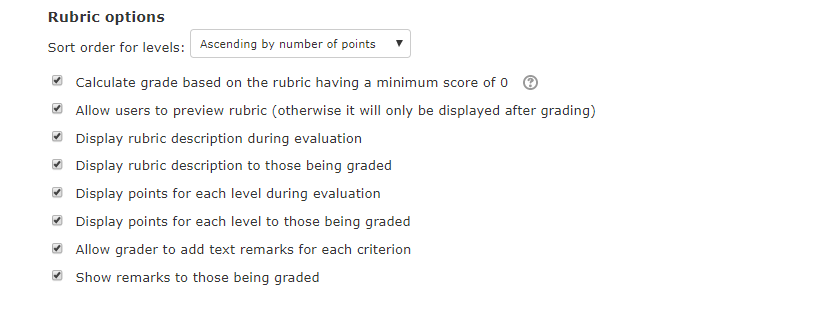
Rubric Options

  • Select the options required for this rubric.
  • To unselect any option, click on the box to the left-hand side of the option.
  • Select Save and make it ready.
  • The rubric is now ready for use.
  • The students will now be able to see the rubric before they submit their work.

Student View

Editing the Rubric

  • To edit the rubric, click on the assignment on your main course page
  • Scroll down to the Administration block located on the right-hand side of the page.
  • Click on Advanced Grading
  • Click on Define Rubric
  • Amend the rubric as per your requirements.
  • Click on Save.


The rubric is ready for use.

iSiZulu Version »