Instructional Guide: Learn Announcement

Overview

The Announcements forum is a special forum for general news and announcements. It is included in your course by default. A course may only have one Announcements forum unless it has been imported from another system which supports more than one Announcements forum.

This forum is automatically created in a new course. By default, it is placed in the top of the central section and only teachers and only users with appropriate permissions (by default teachers) can post in it. The forum has forced subscription set by default.

When To Use

This is an activity on Moodle that allows lectures to send out bulk messages to all students in a course. Students will receive messages sent via the announcement activity in their emails.
Instructional Guide

Step by Step Guide on How to Use the News Forum to Create and Send Announcements in Moodle

Step 1:

  • Log in to Moodle by clicking here.

Step 2:

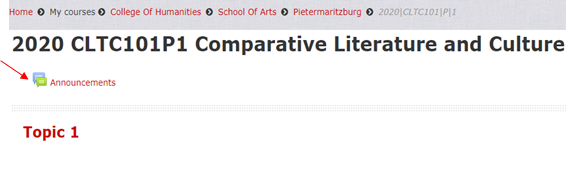
  • Double click on Announcements

Step 3:

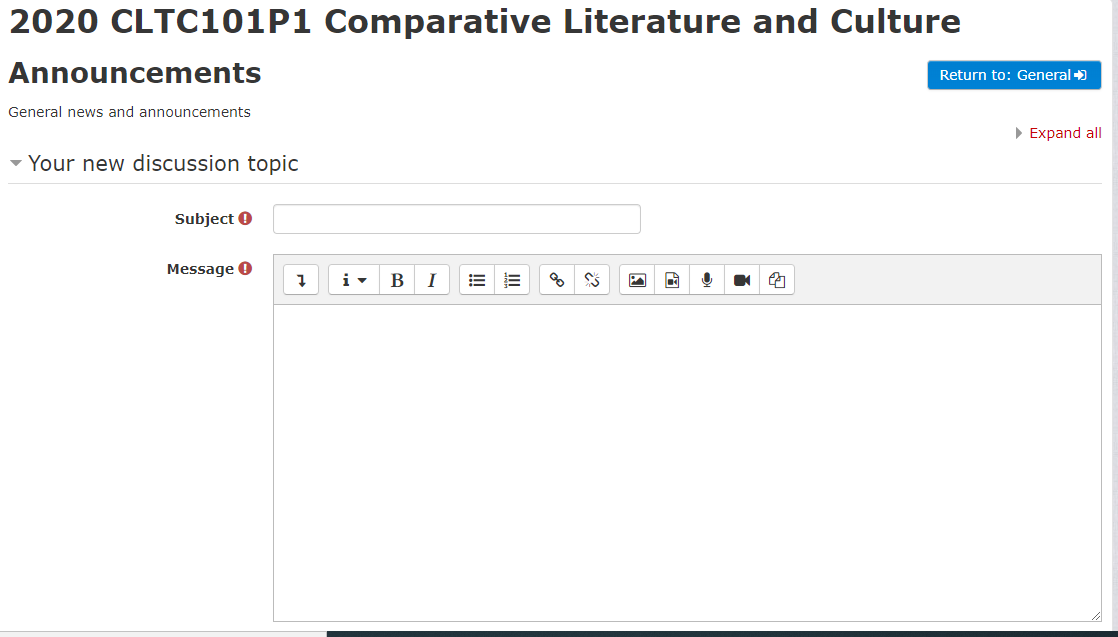
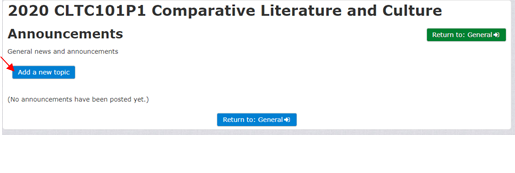
  • Click on Add a new topic

Step 4:

  • Click the subject box and type a title for your announcement

Step 5:

  • Click the body of the message to type the body of your announcement

Step 6:

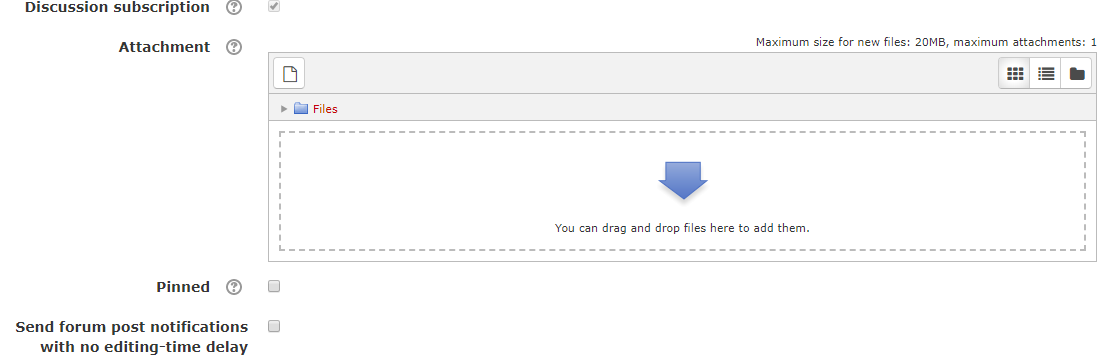
  • You can also add attachments to the announcements.  Click on the file icon to upload a file.

Step 7:

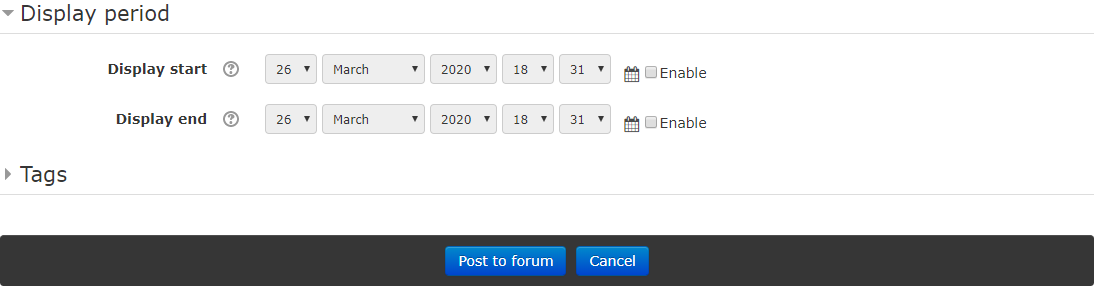
  • Check the enable boxes to add your dates for the time period that we would like the announcements displayed.

Step 8:

  • As announcement creator, you can Edit or Delete your announcement at any time.

Step 9:

  • Your students can reply to announcements, but they cannot edit or delete them.

Step 10:

  • Click Post to forum to send announcement

Step 11:

  • Should you need to edit or delete the announcement? 
    • Click on the Announcement
    • Click on Miscellaneous
    • In the bottom right hand corner of that window, choose either Edit or Delete
iSiZulu Version »